There’s a new way to get Instagram to show your posts to people who don’t follow you. And no, it doesn’t involve pointing at text boxes or scrolling for trending audio at 11pm.
It’s called topic tagging. Instagram didn’t make a big song and dance about it, so there’s a good chance it’s passed you by.
What is Topic Tagging?
Instagram’s AI now watches, reads and listens to your reels and posts. It looks at your visuals, any text on screen, your caption, and the audio, including what you say. Then it gives your content a topic tag, which is a keyword that describes what the post is about.
When someone searches for that topic, your content can show up in front of them, even if they’ve never heard of you. So if you searched “Instagram algorithm”, this post could reach you before you’d ever come across Noodlehorse Media.
It’s basically SEO for Instagram. For small businesses without huge followings (so, most of us), that’s a big deal.
What it looks like on my own reels
I went through my own reels to see what Instagram had made of them. Here’s what I found.
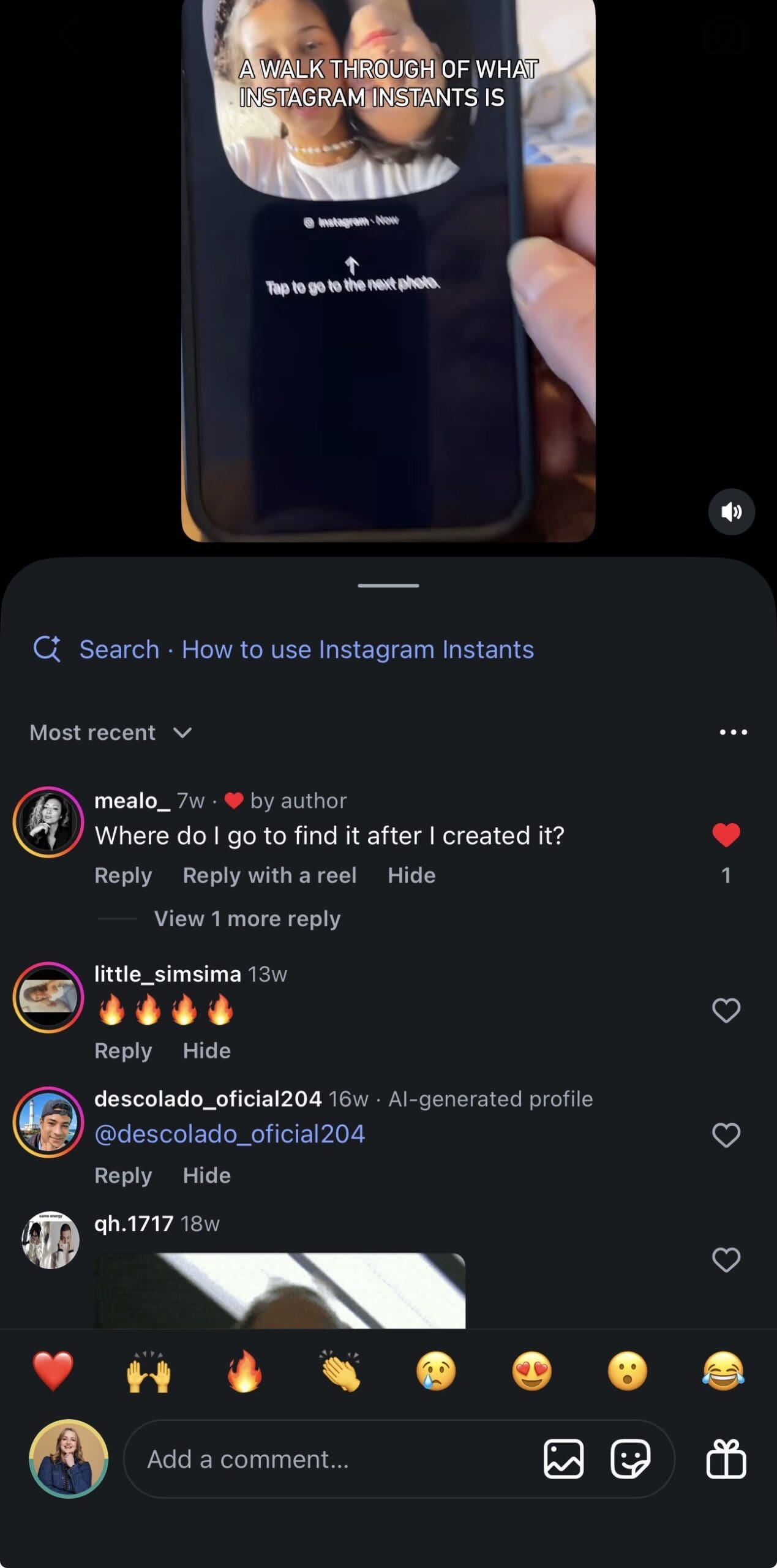
My walkthrough of Instagram Instants was tagged “How to use Instagram Instants”. The text on screen said “A walk through of what Instagram Instants is”, and Instagram turned that into the exact phrase someone would type into search. That reel is a few months old too, so it isn’t only brand new posts getting tagged.
My reel about filming yourself running with your phone was tagged “filming running with phone”. It’s not the prettiest phrase you’ll ever read, but it’s exactly how a real person would search for it.
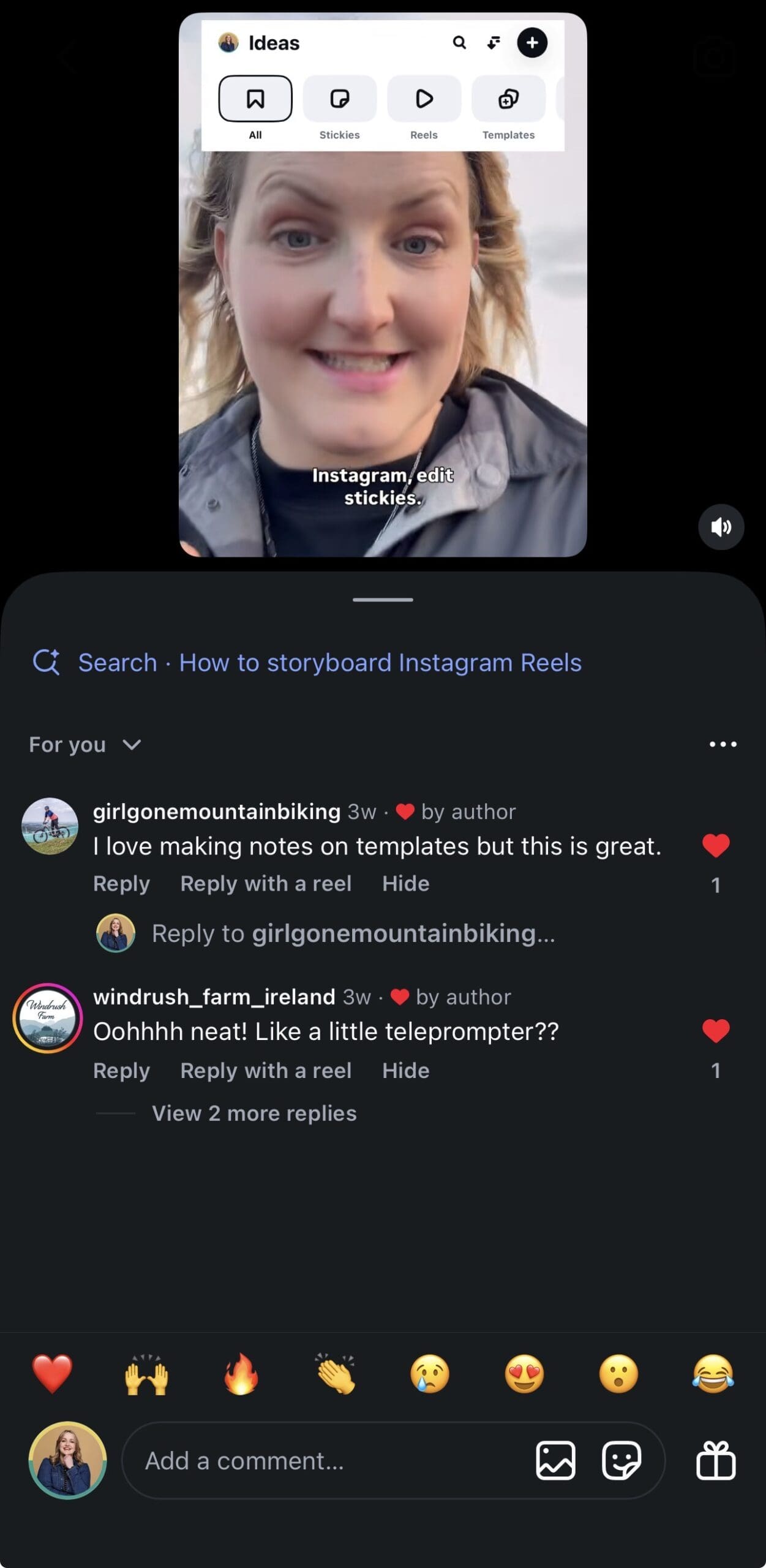
My reel on using stickies in Instagram’s Edits app to plan content was tagged “How to storyboard Instagram Reels”. The words on screen were about Edits and stickies, but Instagram worked out the bigger topic for itself.

- Lyn's tip for local businesses
Before you film, decide which words you want your content to be found for. Ask yourself what your ideal customer would type into the search bar. Then get those words into three places:
- On screen. Add them as text on your reel or carousel.
- Out loud. Say them when you’re talking to camera. Yes, you actually have to say the words out loud. I know. Camera-shy friends, stay with me. One clear sentence to camera counts.
- In your caption. Write them naturally near the start.
Show it. Say it. Write it.
How to check if your content has been tagged
Give it about 30 minutes after posting, then look for the topic label.
- On a reel: play it full screen and look in the bottom left corner. On my reels, it’s also showing at the top of the comments.
- On a post: look at the top of the comments.
It appears as a little search link with the topic next to it.
Don’t panic if it’s not there
You won’t see a tag on everything. The feature is still being rolled out, so it isn’t showing on every piece of content yet. That doesn’t mean your post is rubbish. Keep using your keywords and give it time.
Key Takeaways
Key takeaways for local businesses thinking about social media:
Think like a searcher.
Use the words your customers use, not your industry jargon.
Show it, say it, write it.
The more clearly your topic comes across on screen, out loud and in your caption, the easier Instagram's job is.
Check, but don't obsess.
Have a look after posting, then get on with your day.
One project, many formats.
I've said it before and I'll say it again, think of your message as a Reel, a carousel, a single image post, a story and even as a live broadcast. Speak on it often.


